(See also our document on partnumber formats.)
Maintaining eCAD parts libraries is a lot of work. Are you:
- Tired of the tedious work of maintaining tradition KiCad libraries or manually adding MFG information to each part in a design?
- Duplicating symbols in KiCad just because a parameter needs changed?
- Duplicating information in your parts database and in schematic symbols?
- Duplicating a lot of work in each design and occasionally make mistakes like specifying the wrong MPN?
- Afraid of the complexity of setting up a database for KiCad libraries?
- Are you having trouble tracking who made what changes made in a parts database?
- Struggling to find a CAD library process that will scale to large teams?
The GitPLM Parts project is a collection of best practices that allows you to:
- Easily set to a database driven parts libraries without a central database and connection (Git friendly).
- Leverage a common library of parts across multiple designs.
- Easily specify part parameters in table format.
- Not duplicate part parameters.
- Leverage the standard KiCad symbol library for most common parts.
- Easy add variants with just a line in a CSV file.
- Track all database changes.
- Scale to multiple designers.
Click the image below to see a demonstration of this library in use:
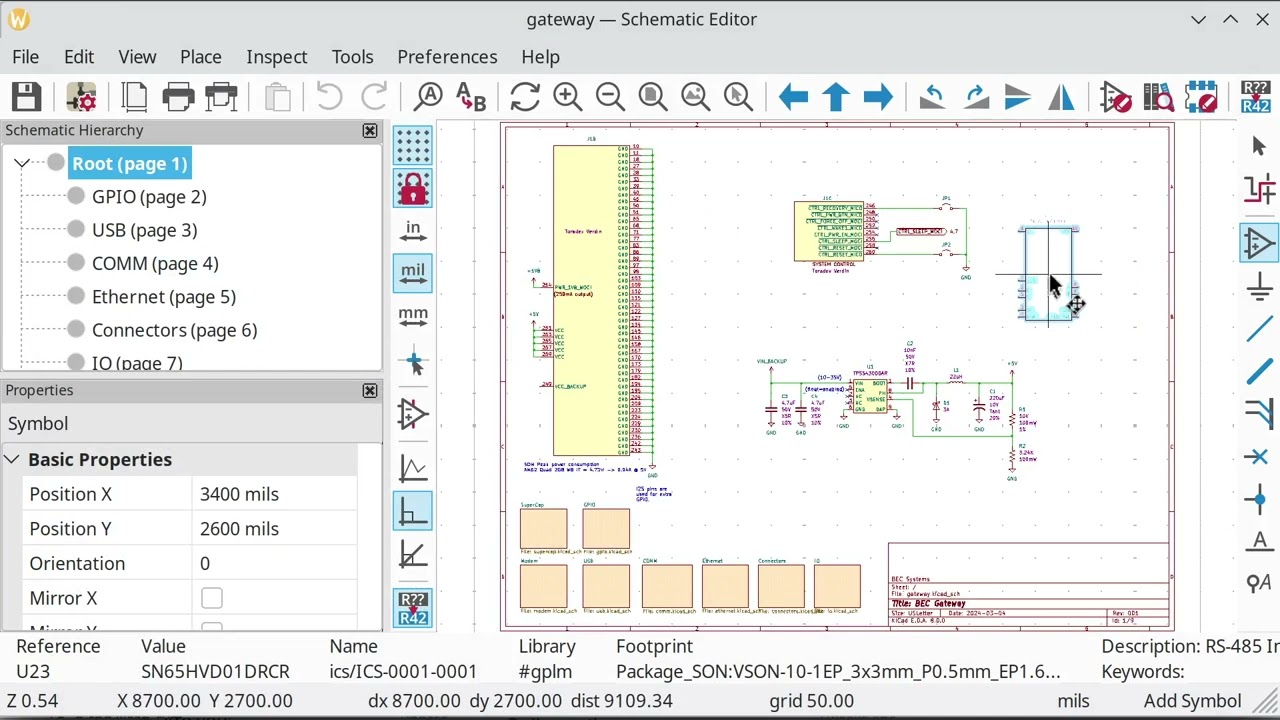
GitPLM serves this database to KiCad over the KiCad HTTP Libraries feature. KiCad reads the parts from a local server that GitPLM runs from the CSV files in this repo, so there is no database to build and no ODBC driver to install.
Give it a try - it will only take a few minutes.
- Clone this repo:
git clone https://github.com/git-plm/parts.git - Clone the 3d models repo:
git clone https://github.com/git-plm/3d-models.git - Install GitPLM
- In KiCad Preferences->Configure Paths:
- set
GITPLM_PARTSto the location of the parts repo - set
GITPLM_3DMODELSto the location of the 3d-models repo
- set
- Start the parts server from the root of this repo:
gitplm httpgitplm.ymlpoints the server at thedatabasedirectory and configures which part fields KiCad displays
- In KiCad Preferences->Manage Symbol Libraries:
- Add all the libraries in the
symbolsdirectory - Add the
database/gplm.kicad_httplibfile, which tells KiCad where to find the running server
- Add all the libraries in the
- In KiCad Preferences->Manage Footprint Libraries:
- Add all
g-*.prettydirectories in thefootprintsdirectory
- Add all
Then when you open the symbol chooser, you will see something like:

Right-clicking on the column headings in the chooser allows you to specify which parameters are displayed.
The server needs to be running whenever you open a schematic that uses these parts, so it is worth starting it from a terminal you leave open, your shell profile, or a systemd user service.
-
Edit the
csvfiles in thedatabasedirectory -
Save.
gitplm httpwatches the directory and reloads the CSV files whenever one of them changes, printing a message like:Change detected in g-res.csv - reloaded 23 CSV files, 1697 parts -
That is all. The next time you add a symbol in the schematic, the new data is there. There is no database to regenerate and no need to restart KiCad.
A new part category is simply a new g-CCC.csv file in the database
directory. The server picks it up on the next reload and the category appears in
KiCad.
csv files can be edited in a text editor, in
LibreOffice, in
VisiData, or in the GitPLM TUI (run gitplm with
no arguments).
gitplm.yml controls what KiCad receives for each part. Every CSV
column is served hidden, so a category states only its exceptions: which column
populates KiCad's Value field, which columns are displayed on the schematic,
and any column served under a different field name. Resistors, for example,
display their resistance, tolerance, and power rating:
http:
  fields:
    default:
      value: MPN
      visible: [MPN]

    RES:
      value: Resistance
      visible: [Resistance, Tolerance, Power]
The GitPLM README describes this section in full.
This repo previously served its parts to KiCad through the
KiCad Database Libraries feature,
using the flow CSV -> SQLite3 -> ODBC -> KiCad. The HTTP library described
above replaces it and is what we now recommend: it removes the SQLite and ODBC
dependencies, reloads when a CSV file is saved rather than requiring a KiCad
restart, and has no database file to regenerate after each edit.
The pieces are still in the repo for anyone who has not yet migrated:
database/#gplm.kicad_dbl- the database library definition, added under KiCad Preferences->Manage Symbol Libraries. The#prefix sorts it to the top of the symbol chooser.database/parts.sqlite- the generated database, rebuilt from the CSV files by theparts_db_createcommand inenvsetup.sh.
It also requires the sqlite3 unixodbc libsqliteodbc packages (sqliteodbc in
the AUR on Arch Linux), an /etc/odbcinst.ini containing a
SQLite3 section,
and a full restart of KiCad after each database rebuild.
If a *.kicad_dbl edit stops KiCad from loading the library, KiCad reports
little about what went wrong. The format is JSON, so
jq will find the error quickly:
jq . \#gplm.kicad_dbl
The field definitions in #gplm.kicad_dbl say the same thing as the
http.fields section of gitplm.yml, so the two can be kept in step while
migrating.
If the symbol and footprint already exist, adding a new part is simple as:
- Add a line to one of the
csvfiles. Thecsvfiles should be sorted byIPN. This ensures theIPNis unique (which is the library key), and merge operations are simpler if the file is always sorted. - Save the file. The running
gitplm httpserver reloads it, and the part is available the next time you add a symbol in the schematic.
The GitPLM TUI (run gitplm with no arguments) does both steps for you: press
a to add a part with the next available IPN, and it writes the row into the
correct csv file, sorted by IPN.
If you need to add a symbol or footprint, add to the matching g-XXX.kicad_sym,
or g-XXX.pretty libraries. Standards in the
KiCad KLC should be followed as much as possible.
Specific requirements:
- Set symbol outline to 10mil
- Fill symbol with background color (light yellow)
- Active low pins should be designated using a bar. This is done with the
following pin name syntax:
~{PIN_NAME} - symbol pin lengths
- < 10 pins: 100mil
- 10 - 99 pins: 150mil
- > 100 pins: 200mil
NOTE: To aid in the accurate connection of wires in EESCHEMA symbol pins, regardless of their pin lengths, should fall on a 100mil/2.54mm grid. Move the symbol so its origin falls on the lower leftmost pin of the symbol. Having consistent symbol origins facilitates moving and updating or replacing symbols during the editing process and makes ERC checking easier.
For footprints the symbol origin for surface mounted parts should be placed in the dead center of the part to aid in programming automated assembly machines. For through hole parts, that are not automatically placed, usually pin 1 serves as the origin to simplify dimensioning since components such as connectors often have placement restrictions necessitated by other features such as openings in enclosures, mating PCB's, and so on.
The KiCad symbol Value field is populated with:
- Resistance, capacitance, and inductance for passives. Spice simulations use the value field, so it is good to have it populated.
- MPN for most other parts
This repo ships a Claude Code skill,
.claude/skills/adding-parts, that
walks through the whole process from a manufacturer and part number: reading the
datasheet, choosing the category, assigning the IPN, reusing or creating the
symbol and footprint, linking the 3D model, and writing the CSV row in sorted
position.
Open this repo in Claude Code and ask for the part, for example:
add the Nexperia PMEG3020EP Schottky diode to the library
Claude picks up the skill automatically. The skill also includes
scripts/check-csv.py,
which validates column counts, IPN sort order, duplicate IPNs, and whether the
Symbol and Footprint references resolve on disk. It is useful on its own,
whether or not you use Claude:
.claude/skills/adding-parts/scripts/check-csv.py --new-only database/g-dio.csv
--new-only diffs against git HEAD and reports only the issues your edit
introduced, which keeps pre-existing ones in the older CSV files out of the way.
- Yageo is the preferred manufacturer for standard thick-film 1%
04020603etc. resistor series (RES-0000,RES-0001). AllE96values are populated for these series.
This repo contains a parts database designed to work with the KiCad HTTP Libraries feature, served by GitPLM.
The IPN (Internal Part Number) format used is specified in this document.
IPN format: CCC-NNNN-VVVV
CCC: one to three letters or numbers to identify major category (RES,CAP,DIO, etc.).NNNN: incrementing sequential number for each part. This gives this format flexibility.VVVV: use to code variations of similar parts typically with the same datasheet or family (resistance, capacitance, regulator voltage, IC package, screw type, etc.).VVVVis also used to encode version and variations for manufactured parts or assemblies.
The workflow is designed to be Git Friendly:
- Everything can be checked into Git
- Changes can be easily diff'd
- There is no central database that requires network connections, VPNs, etc.
- All changes to the parts database are tracked in Git.
CSV files are a convenient way to store tabular data in Git. Tools like Gitea and GitHub are good at viewing and diffing CSV files. This allows anyone to edit the database. Complex database permissions are not required as workflow is managed through standard Git mechanisms like PRs. As an example, changes from new users may be reviewed before merging to the main branch.
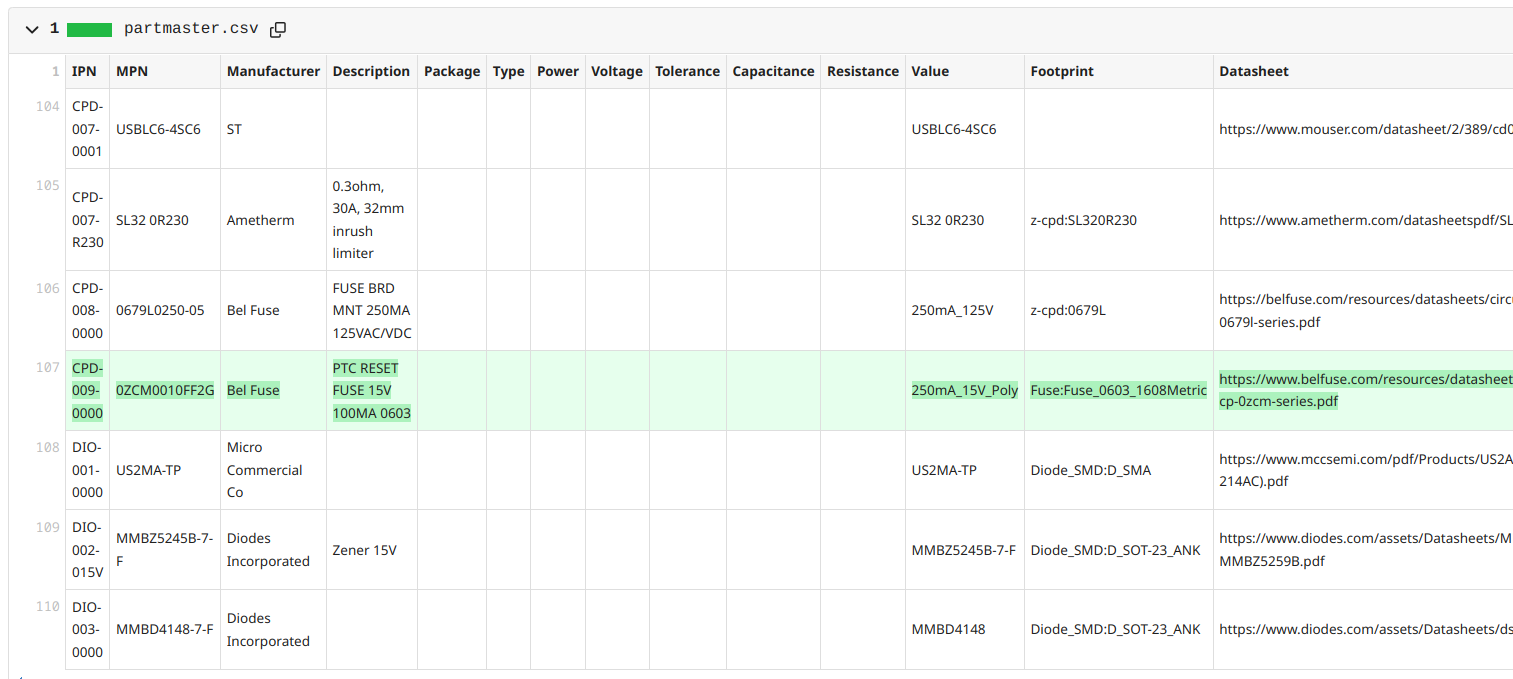
So we use the following flow:
CSV -> gitplm http -> KiCad
GitPLM reads the csv files directly and serves them to KiCad, so the CSV files
in Git are the database. Earlier versions of this repo went through
CSV -> SQLite3 -> ODBC -> KiCad, which is now
obsolete.
csv files can be easily edited in LibreOffice
or VisiData. Note, in LibreOffice make sure you
import CSV files with character set as UTF-8 (UTF-7, which seems to be the
default, will cause bad things to happen)
If you use VisiData on Linux, please set the following option in ~/.visidatarc
to make the CSV line endings compatible with LibreOffice Calc:
options.csv_lineterminator = "\x0a"
A separate csv file is used for each
part category
(ex: IND, RES, CAP, etc.). There are several reasons for this:
- Each part type needs different fields, so this limits the number of columns we
need in each
csvfile. - Likewise, for each part type, we typically want a different set of fields
displayed by default in the schematic. The
gitplm.ymlfile allows us to specify this. For example, with a resistor we want a Resistance field and with Capacitors we want a Capacitance field. - Grouping each category into a different library makes it nicer to search for parts.
This database is designed to be general purpose and can be used by multiple projects and companies. Practically, things vary a lot between different companies so this will likely serve more as an example.
Initially, this part database will be optimized for low-cost rapid prototyping at places like JLCPCB and Seeed Studio using parts from:
(this may not be work out so the approach may change)
gitplm.yml- GitPLM configuration: where the CSV files live, and which part fields KiCad displaysdatabase- CSV files, thegplm.kicad_httplibfile KiCad reads, and the SQLite3 database file used by the obsolete database library methodsymbols- custom KiCad symbolsfootprints- custom KiCad footprintsspice- spice modelslibs- contains the KiCad standard library symbols/footprints. This is added as a submodule here for convenience as a quick way to check out the KiCad standard libraries in case you want to modify them.
This library is currently being used successfully in several projects. We currently do most work in an Internal Gitea repo as the CSV diff functionality is so much better than GitHub, but periodically push updates to this mirror.
For commercial support, training, or design assistance, please contact us at:
- https://github.com/git-plm/gitplm
- https://dev-docs.kicad.org/en/apis-and-binding/http-libraries/
- https://forum.kicad.info/t/gitplm-parts-kicad-database-ideas/47358
- https://docs.kicad.org/7.0/en/eeschema/eeschema.html#database-libraries
- https://forum.kicad.info/t/kicad-the-case-for-database-driven-design/34621
- https://wiki.archlinux.org/title/Open_Database_Connectivity