



Vynody is a cross-platform, local music player designed with a focus on local playback. It features a Flutter-based user interface and integrates platform-specific native audio engines, combining a unified user experience with deep native capabilities.
The project currently targets the following platforms:
- Windows
- Linux
- macOS
- iOS
- Android
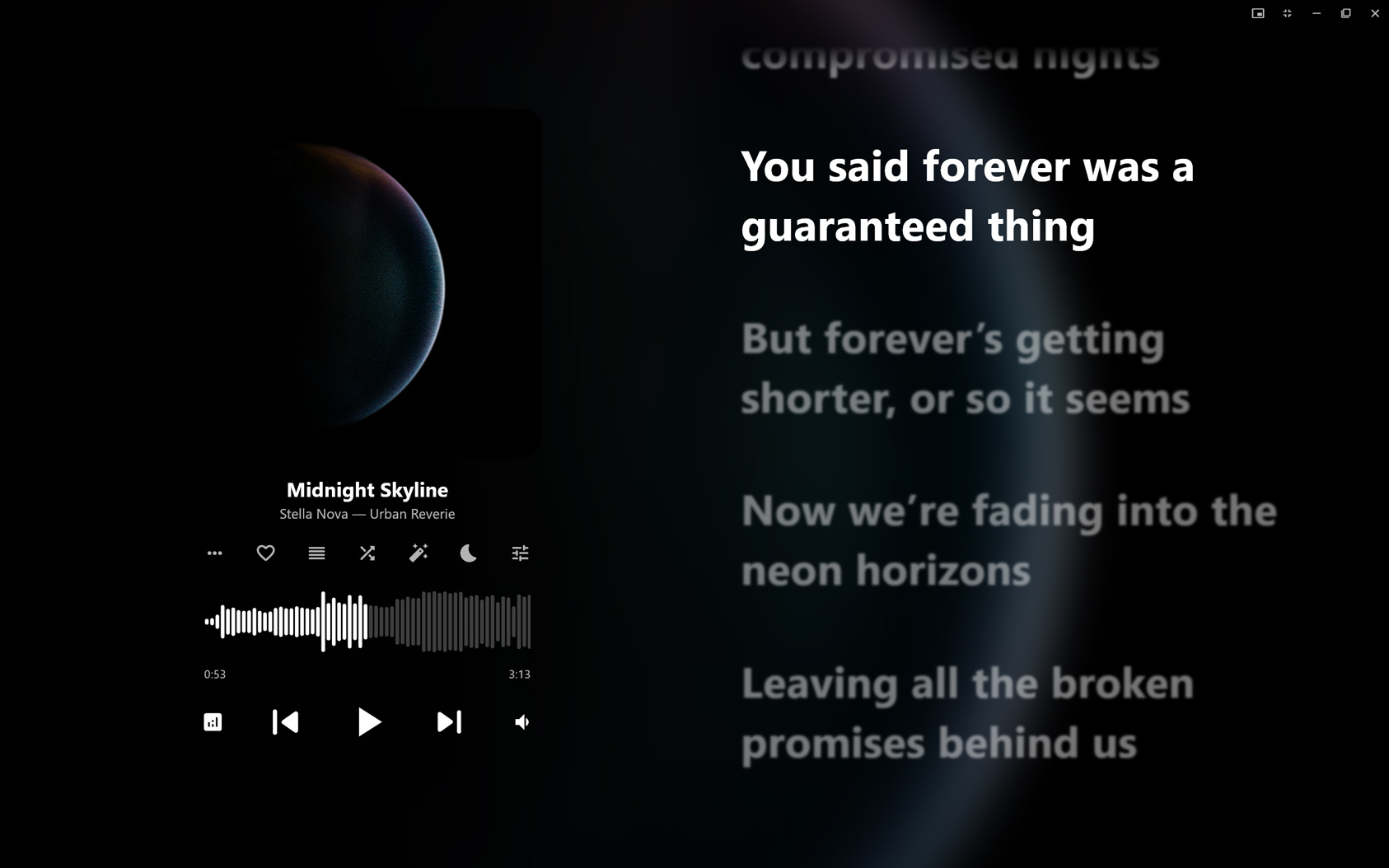
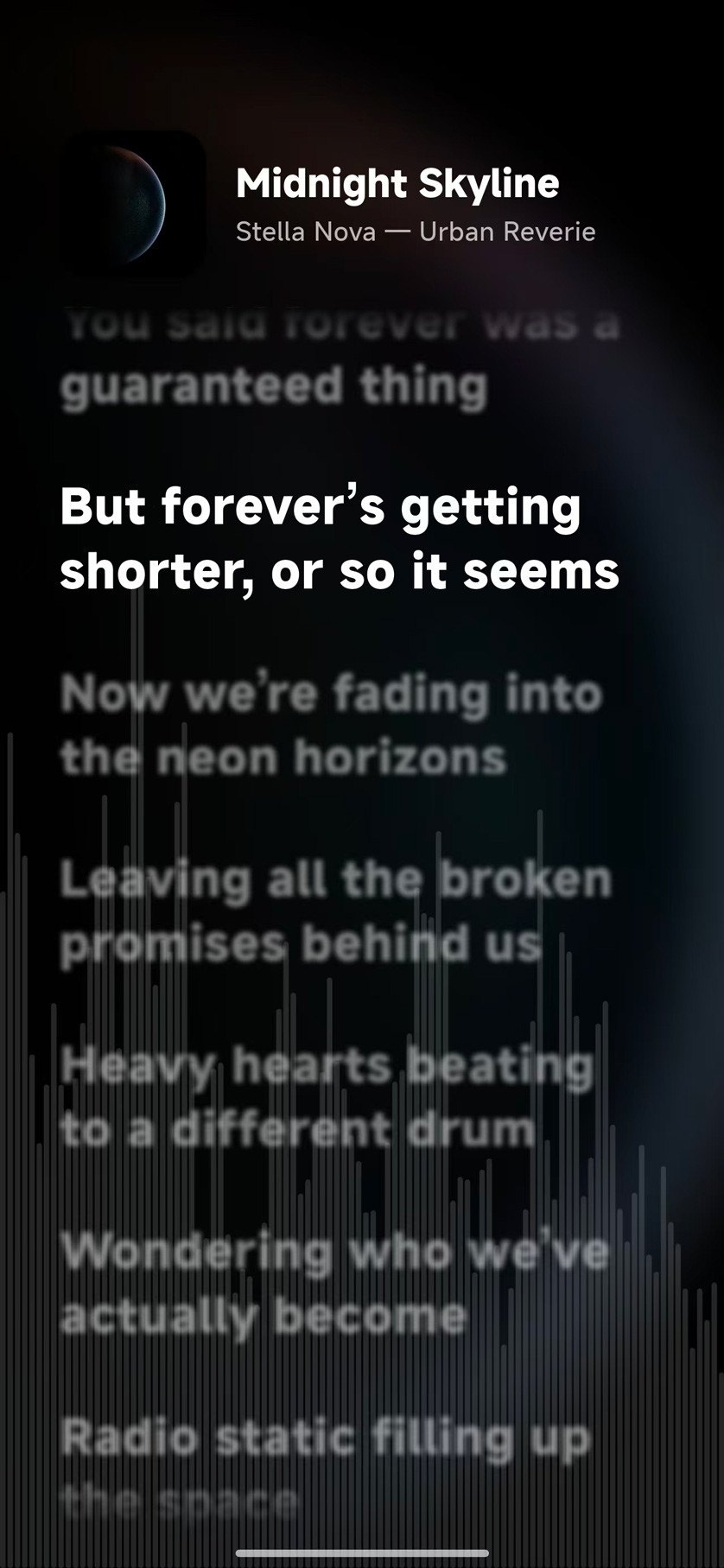
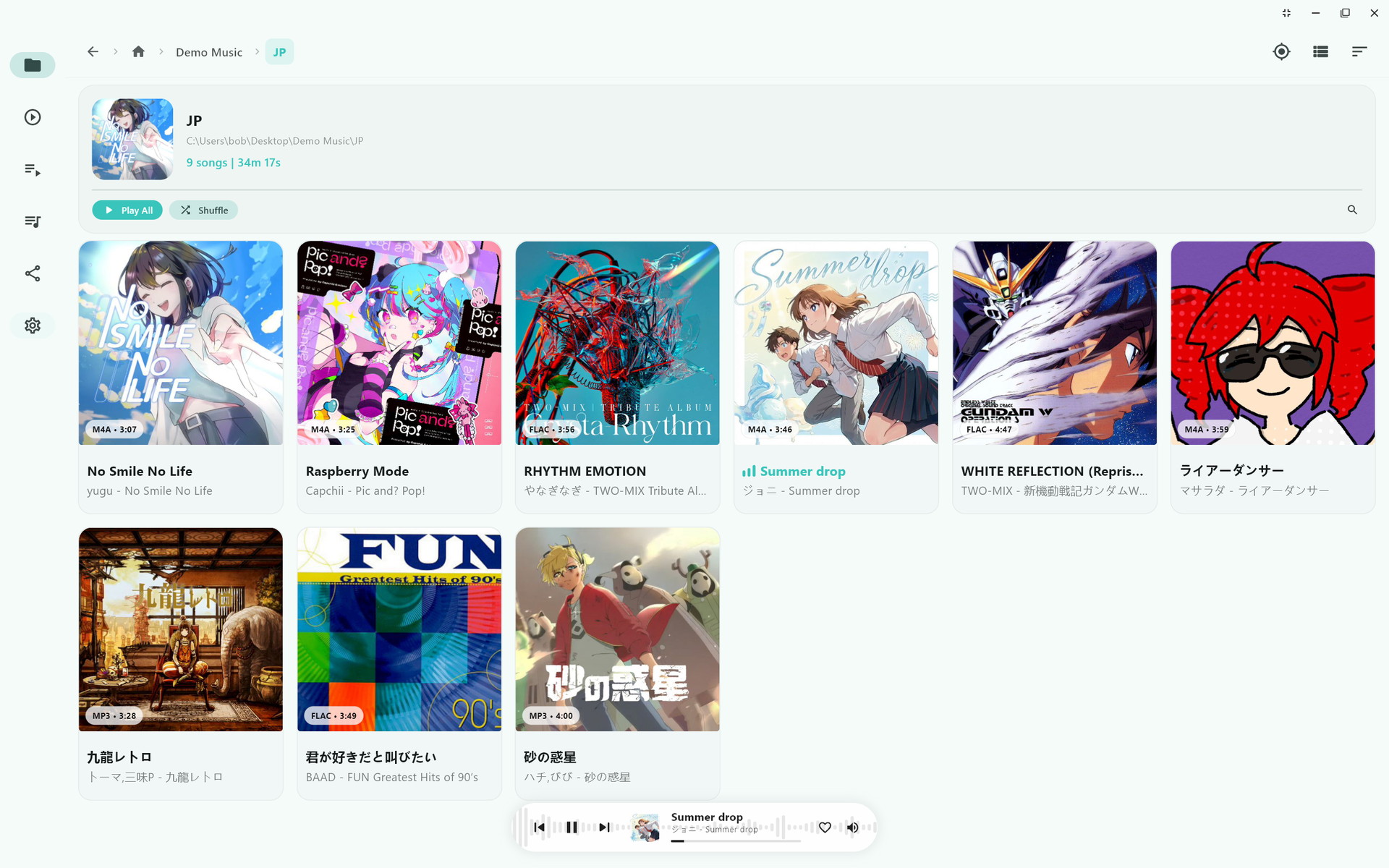
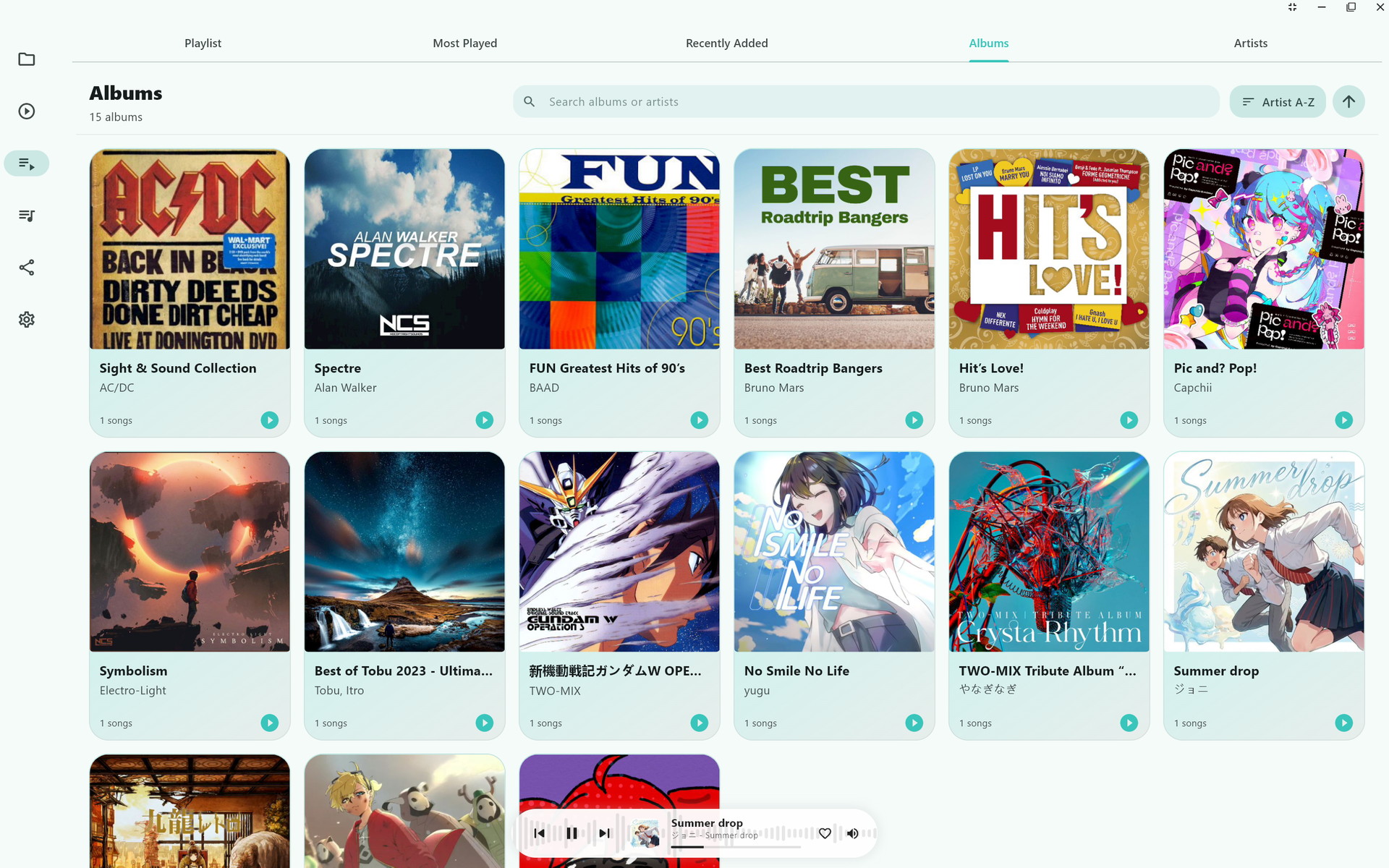
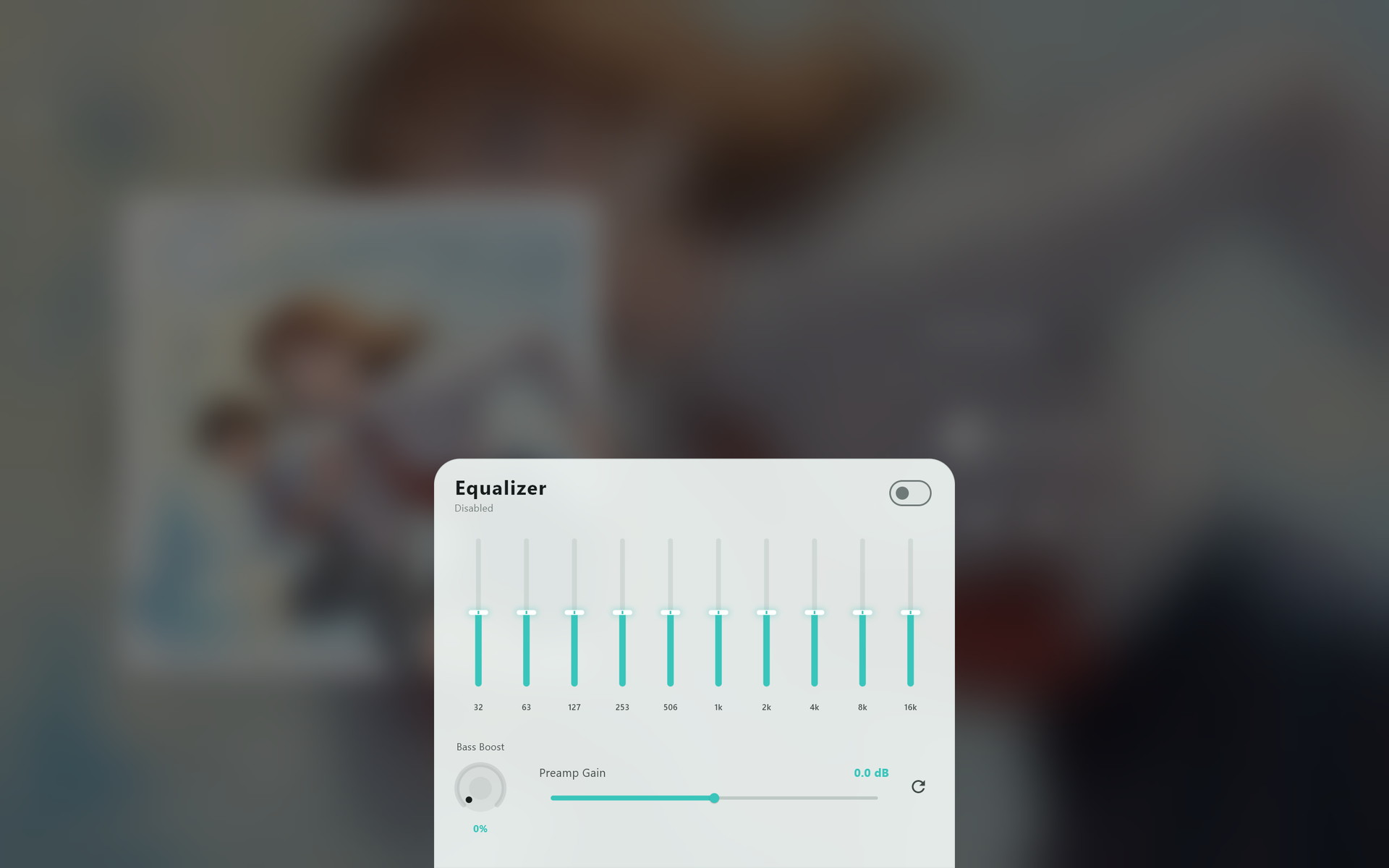
- Cross-Platform Local Music Player: Supports both desktop and mobile platforms.
- Platform-Specific Native Audio Engines: Integrates native audio backends optimized for each platform.
- Local Media Library: Supports scanning local folders, incremental library updates, and song management.
- Online Tag Metadata Completion: Supports fetching missing track metadata via audio fingerprinting.
- Lyrics Search, AI Generation & Translation: Fetch lyrics from LRCLIB, generate synced lyrics or timelines with AI, and translate lyrics into a selected language.
- Song Recognition: Identifies songs using audio fingerprinting.
- Local LAN Sharing: Easily share lyrics and music files across devices on the same local network.
- Sleep Timer: Built-in countdown timer for automatic playback stop.
- Enhanced Lyric Features: Supports online search, local caching, AI-powered generation and translation, and lyric timeline adjustments.
- Visual Enhancements: Features audio spectrum, waveform display, cover art color extraction, and more.
Vynody does not use a single shared audio backend across all platforms. Instead, it utilizes the most suitable engine for each operating system:
| Platform | Audio Engine / Backend |
|---|---|
| Windows | Audio Core (Rust) |
| Linux | Audio Core (Rust) |
| macOS | Audio Core (Rust / AVFoundation + FFmpeg fallback) |
| iOS | Audio Core (Rust / AVFoundation + FFmpeg fallback) |
| Android | ExoPlayer (Media3 + FFmpeg fallback) |
This design achieves a consistent cross-platform UI while fully leveraging the mature, low-level audio capabilities of each platform.
- Scans local directories to build a media library.
- Supports incremental updates on folder changes.
- Organizes tracks by albums, artists, songs, and more.
- Tailored for offline music playback with a focus on stability and metadata organization.
For audio files with incomplete tags or missing metadata, Vynody supports online completion:
- Uses audio fingerprinting to identify tracks.
- Matches tracks against AcoustID and MusicBrainz.
- Fills in missing details like title, artist, album, and covers.
- Perfect for organizing local music libraries with mixed sources and poor metadata quality.
The player includes built-in lyrics search and retrieval, currently integrated with:
- LRCLIB
Features include:
- Searching online lyrics matching the current track.
- Fetching plain text or synced (timestamped) lyrics.
- Associating and caching fetched lyrics with local songs.
- Editing and aligning lyric timelines.
- Generating synced lyrics from an audio file with a configured AI provider.
- Generating or correcting a timeline for existing plain-text lyrics.
- Translating lyrics into a selected target language and caching the result.
AI lyric generation and translation require an API key for a supported provider, configured in the app settings. Generated results may need review and manual adjustment.
Built-in audio fingerprinting enables identifying unknown audio files:
- Identifies tracks from local audio fragments.
- Offers metadata candidates for tag editing.
- Helps organize legacy files with missing names or tags.
A built-in countdown timer designed for bedtime listening:
- Configurable countdown timer to stop playback.
- Displays remaining time.
- Allows manual cancellation at any time.
Vynody includes built-in local area network sharing capabilities to transfer music and lyrics between devices on the same subnet:
- Automatically discovers running Vynody instances on the local network.
- Sends individual music files.
- Sends entire music folders while preserving the relative folder structures.
- Bi-directionally syncs lyric caches and translation caches between devices.
Perfect for syncing or migrating your local library between computers and mobile devices.
The project follows a "Flutter UI + Platform Native Audio Backend" architecture:
- Flutter: Handles the cross-platform UI and user interactions.
- Audio Core (Rust / Native): Powers playback, transcoding, waveform/spectrum, and metadata on Windows, Linux, macOS, and iOS (with AVFoundation & FFmpeg fallbacks).
- ExoPlayer: Powers Android playback (integrated via Audio Core plugin).
- SQLite / Drift: Manages the local media library database and cache.
Online services and libraries used:
- LRCLIB: Online lyrics source.
- Configurable AI Providers: Lyric generation, timeline generation, and lyric translation.
- AcoustID: Audio fingerprinting.
- MusicBrainz: Metadata matching.
LAN sharing capabilities:
- UDP Broadcast: Peer discovery on the local network.
- Embedded HTTP Server: Hosts the sharing service and web UI.
- Web-based File Transfer: Browser interface for uploading/downloading tracks.
- Conflict Resolution: Logic for merging and importing lyric caches.
- Flutter SDK
- Rust toolchain
- Build tools corresponding to your target platform
Platform-specific setup requirements:
- Android: Android Studio / SDK / NDK.
- iOS / macOS: Xcode and Apple development environment.
- Windows: Visual Studio C++ Build Tools.
- Linux: Flutter Desktop requirements and development libraries.
git clone --recurse-submodules https://github.com/axel10/vynody
cd vynody
💡 If you already cloned the repository without
--recurse-submodules, rungit submodule update --initto initialize theaudio_coremodule before building.
flutter pub get
flutter run -d <device-id>
When building for a desktop platform for the first time, ensure that both the Flutter Desktop environment and the Rust toolchain are correctly configured.
The player supports various user settings, including:
- Playback behaviors.
- Lyrics sources and processing adjustments.
- AI provider API keys, lyric generation models, translation models, and target language.
- AcoustID API Key.
- Visual themes, skins, and spectrum visualizers.
- Hotkeys and shortcuts.
Tip
If you plan to heavily use audio fingerprinting and metadata completion, we recommend getting and configuring your own AcoustID API Key.
Issues and Pull Requests are welcome!
Before contributing code, please run the tests and ensure they pass:
flutter testPlease adhere to the existing code style and structure.
This project is open-source and licensed under the GPL-3.0 License.
Vynody 是一款以本地音乐播放为核心的跨平台播放器,使用 Flutter 构建界面,并根据不同平台接入对应的原生音频内核,兼顾统一体验与底层能力。
项目当前面向以下平台:
- Windows
- Linux
- macOS
- iOS
- Android
- 跨平台本地音乐播放器,覆盖桌面端与移动端
- 多平台原生播放内核接入,按平台选择更合适的实现
- 本地媒体库扫描、增量更新与歌曲管理
- 歌曲标签在线补全,支持通过音频指纹补全元数据
- 歌词搜索、AI 生成与翻译,支持 LRCLIB 获取、AI 生成时间轴歌词和多语言翻译
- 听歌识曲能力,基于音频指纹进行歌曲识别
- 本地局域网歌词与音乐文件共享
- 睡眠定时器
- 歌词相关增强能力,包括在线搜索、缓存、AI 生成、翻译与时间轴处理
- 频谱、波形、封面取色等播放界面增强体验
Vynody 并不是所有平台都共用同一套播放器内核,而是按平台采用不同实现:
| 平台 | 播放内核 |
|---|---|
| Windows | Audio Core(Rust) |
| Linux | Audio Core(Rust) |
| macOS | Audio Core(Rust / AVFoundation + FFmpeg 兜底) |
| iOS | Audio Core(Rust / AVFoundation + FFmpeg 兜底) |
| Android | ExoPlayer(Media3 + FFmpeg 兜底) |
这种设计的目标是:在保证跨平台 UI 一致性的同时,尽量利用各平台成熟的底层音频能力。
- 扫描本地文件夹并建立媒体库
- 支持文件变更后的增量更新
- 提供专辑、艺术家、歌曲等常见浏览方式
- 面向本地播放器场景,强调稳定播放与日常管理效率
针对标签不完整或信息缺失的音频文件,Vynody 支持在线补全歌曲元数据。
- 使用音频指纹识别歌曲
- 结合 AcoustID 与 MusicBrainz 匹配结果
- 补全标题、艺术家、专辑等标签信息
- 支持封面等元数据的补充
这部分能力尤其适合整理来源较杂、标签质量不一致的本地曲库。
项目内置在线歌词搜索与获取能力,当前可接入:
- LRCLIB
可用于:
- 搜索匹配当前歌曲的在线歌词
- 获取纯文本歌词或带时间轴歌词
- 将歌词与本地歌曲关联并缓存
- 对已有歌词做进一步整理和时间轴处理
- 通过已配置的 AI 服务商,根据音频生成带时间轴歌词
- 为已有的纯文本歌词生成或校正时间轴
- 将歌词翻译为指定目标语言,并缓存翻译结果
AI 歌词生成和翻译需要在应用设置中配置受支持服务商的 API Key。生成结果可能需要人工检查和微调。
Vynody 支持基于音频指纹的歌曲识别能力,可用于:
- 识别本地音频文件对应的歌曲
- 为歌曲标签补全提供候选结果
- 辅助整理未知来源或缺失元数据的文件
内置睡眠定时器,适合夜间听歌或临睡前使用。
- 支持设置播放停止倒计时
- 支持查看剩余时间
- 支持手动取消
Vynody 内置局域网共享能力,可在同一网络下与其他设备交换音乐文件和歌词数据。
- 自动发现局域网内运行中的 Vynody 设备
- 支持发送单个音乐文件
- 支持发送整个音乐文件夹,并保留相对目录结构
- 支持设备之间双向同步歌词缓存与翻译缓存
- 支持通过浏览器访问本机共享页面,进行上传或下载
这项能力适合在多台设备之间迁移曲库,或者把一台设备上整理好的歌词同步到另一台设备。
项目整体采用“Flutter UI + 平台原生音频实现”的思路:
- Flutter:负责跨平台界面与交互
- Audio Core(Rust / Native):承担 Windows、Linux、macOS 和 iOS 的核心音频播放、转码与元数据能力(Apple 平台融合 AVFoundation 与 FFmpeg 兜底)
- ExoPlayer:承担 Android 平台播放能力(通过 Audio Core 插件集成)
- SQLite / Drift:用于本地媒体库与缓存管理
在线相关能力主要包括:
- LRCLIB:在线歌词获取
- 可配置 AI 服务商:歌词生成、时间轴生成与歌词翻译
- AcoustID:音频指纹识别
- MusicBrainz:标签与元数据补全
局域网共享相关能力主要包括:
- UDP 广播发现局域网设备
- 内置 HTTP 共享服务
- 歌词缓存导入、导出与冲突处理
- Flutter SDK
- Rust toolchain
- 对应平台的原生构建环境
不同平台还需要各自的系统依赖,例如:
- Android:Android Studio / SDK / NDK(按项目实际配置)
- iOS / macOS:Xcode 与 Apple 平台构建环境
- Windows:Visual Studio C++ 构建工具
- Linux:Flutter Desktop 与系统开发依赖
git clone --recurse-submodules https://github.com/axel10/vynody
cd vynody
💡 如果您之前已经克隆了仓库但未使用
--recurse-submodules,请在构建前运行git submodule update --init以初始化audio_core模块。
flutter pub get
flutter run -d <device-id>
如果你是在桌面平台首次构建,通常还需要先确认 Flutter Desktop 与 Rust 工具链都已经可用。
项目中已经包含或预留了多项可配置能力,常见包括:
- 播放相关设置
- 歌词来源与歌词处理相关设置
- AI 服务商 API Key、歌词生成模型、翻译模型与翻译目标语言
- AcoustID API Key
- 外观、主题、可视化效果
- 快捷键与交互行为
如果你准备长期使用歌曲标签补全和音频指纹识别,建议配置自己的 AcoustID API Key。
欢迎提交 issue 或 pull request。
如果你要参与开发,建议至少先完成以下检查:
flutter test并尽量保持代码风格与现有工程结构一致。
本项目基于 GPL-3.0 开源。