
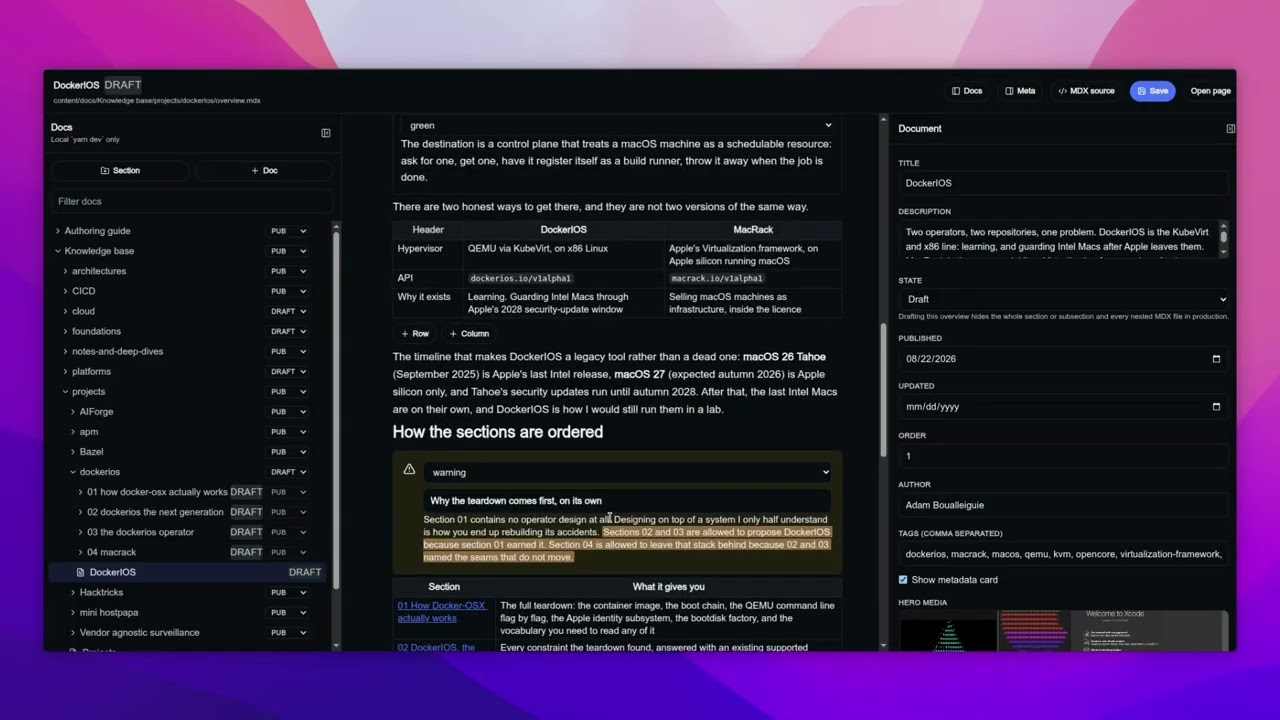


Docs that feel like a product, not a dump of markdown files. You write in a local studio, the site is MDX + Next.js, and you ship it as a static GitHub Pages site.
This repository is the product and a live instance. If you want your own knowledge base, do not fork this and delete the docs. Scaffold a clean one.
npx create-kb@latest my-notes
cd my-notes
yarn install
yarn dev
Then open http://localhost:3000 for the site and http://localhost:3000/author for Author Studio.
The CLI asks for a title, your name, and the GitHub repo. That identity lands in kb.config.json. Everything else is files you edit.
# skip prompts
npx create-kb@latest my-notes --yes \
  --site-title "My Notes" \
  --author "Ada" \
  --github-user ada \
  --github-repo my-notes
Pin a generator if you want a known snapshot later: npx create-kb@0.1.1 my-notes.
| What you want to change | File |
|---|---|
| Site name, author, GitHub, Pages URL | kb.config.json |
| Homepage | components/HomePageClient.tsx |
| Footer | components/Footer.tsx |
| Top nav | components/Navigation.tsx |
| Colors and fonts | app/globals.css |
| Sidebar order | config/docs-order.config.ts |
kb.config.json is identity. It does not design the homepage. For that, open HomePageClient.tsx.
Push main, turn on Settings → Pages → GitHub Actions, and the workflow in .github/workflows/nextjs.yml publishes it.
Local only. yarn dev, then /author. It never ships in the GitHub Pages export.
It is a Notion-style editor that writes the same MDX the site already renders. Slash / for headings, callouts, terminal, mermaid, images, video, YouTube, tabs, Excalidraw. Drop an image on the canvas. Save writes files under content/ and public/. You still commit and push.
Drafts stay in the repo and stay off the published site. Existing docs with no state field stay published.
If the studio says it is offline, you ran next dev instead of yarn dev.
MDX components, not a plugin zoo.
- Callouts: info, success, warning, error, note, danger
- Mermaid: fences in the doc, SVGs built on save
- Excalidraw: diagrams with zoom and fullscreen
- Tabs, terminal, code: switch contexts, type out a command, copy a snippet
- Images, video, YouTube, hero media: figures in the body, or a banner on the doc
- Highlight marker: mark a phrase, it lights up when the reader gets there
- Search, TOC, dark mode: across the docs tree, from headings, with a theme that follows the system
The Authoring guide is the manual. It ships with every scaffold. Keep it until you know the product, then delete it if you want.
What you are looking at is Adam's knowledge base, running on the same engine create-kb copies. The writing here is personal. The engine, the studio, and the Authoring guide are the product.
Existing sites are a file snapshot. A new create-kb on npm does not rewrite your folder. Versions and upgrades explains how 1.2 stays 1.2 when 2.0 ships.