Repository navigation
FFmpeg
In case you are gonna use FFmpeg only for danser, you dont need to do any of the steps, danser already comes with a ffmpeg installation of its own now, follow them only if you downloaded one of the old versions where the folder "ffmpeg" is not already inside dansers files after its extraction.
To use certain features in danser, which is background video playback and offscreen recording, you need to have ffmpeg and ffprobe CLI tools installed.
Download win64-gpl-shared latest version from https://github.com/BtbN/FFmpeg-Builds/releases
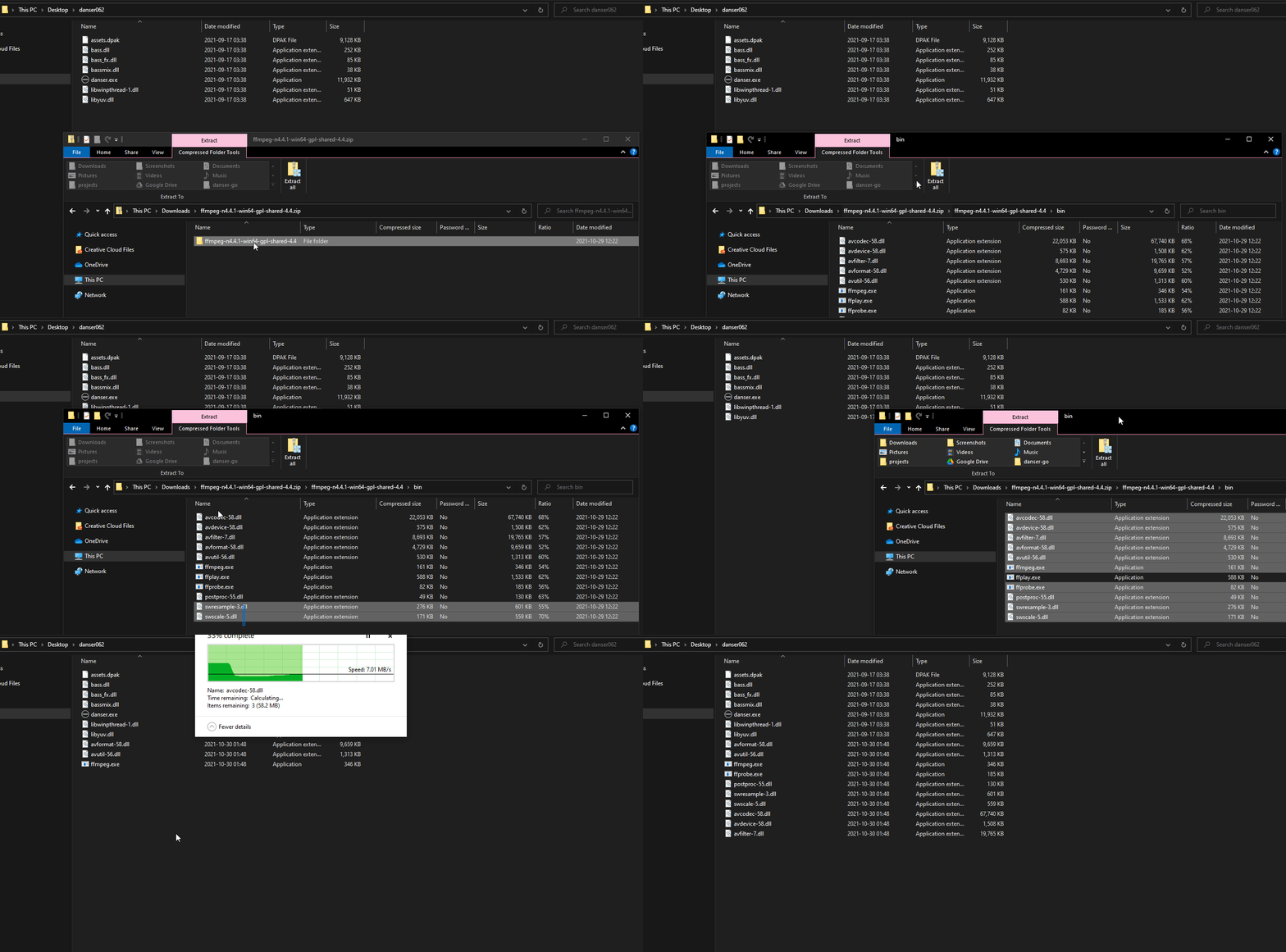
Extract everything (you can skip ffplay) from bin directory to danser's directory like this:
- Create an
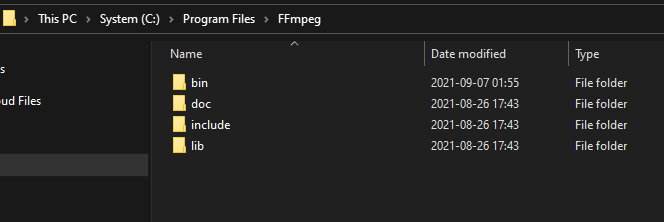
FFmpegdirectory inC:\Program Files\, soC:\Program Files\FFmpeg - Extract everything from downloaded archive to the newly created directory so it looks like this:
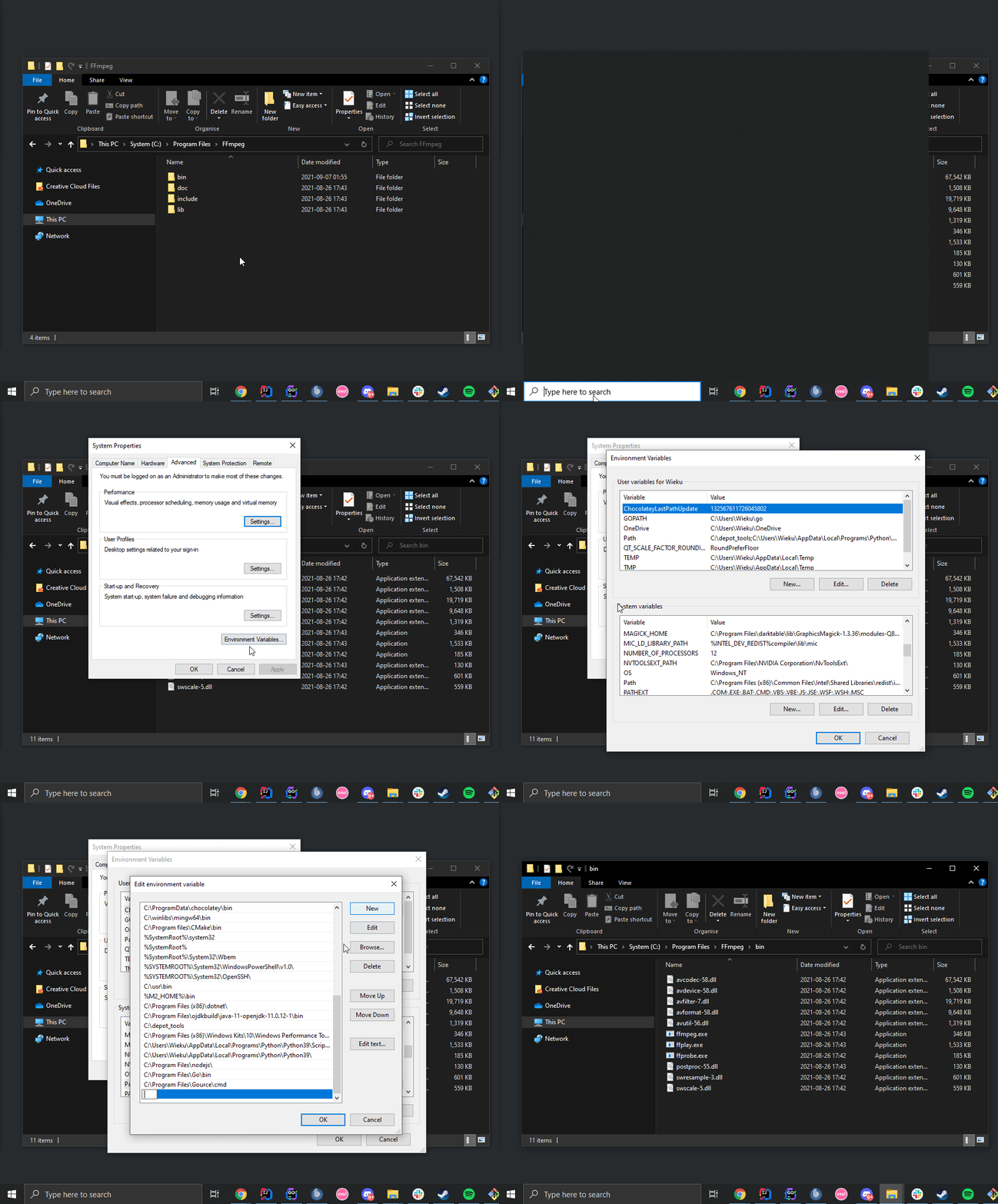
- Add
C:\Program Files\FFmpeg\bindirectory to System's Path: - You need to close the console window (if you had it opened) and open it again, otherwise it won't notice that FFmpeg had been installed.
Download an ffmpeg package using package manager installed on your system, eventually do the same as in #Installation only for danser but download linux64-gpl-shared version of FFmpeg