In any piece of software or code, variables are used for holding data such as numbers or strings. Variables are created by declaring them, which involves specifying the variable's name and type, followed by assigning it a value.
Devtron offers super-admins the capability to define scoped variables (key-value pairs). It means, while the key remains the same, its value may change depending on the following context:
- Global: Variable value will be universally same throughout Devtron.
- Cluster: Variable value might differ for each Kubernetes cluster.
- Environment: Variable value might differ for each environment within a cluster, e.g., staging, dev, prod.
- Application: Variable value might differ for each application.
- Environment + Application: Variable value might differ for each application on a specific environment.

Advantages of using scoped variables
- Reduces repeatability: Configuration management team can centrally maintain the static data.
- Simplifies bulk edits: All the places that use a variable get updated when you change the value of the variable.
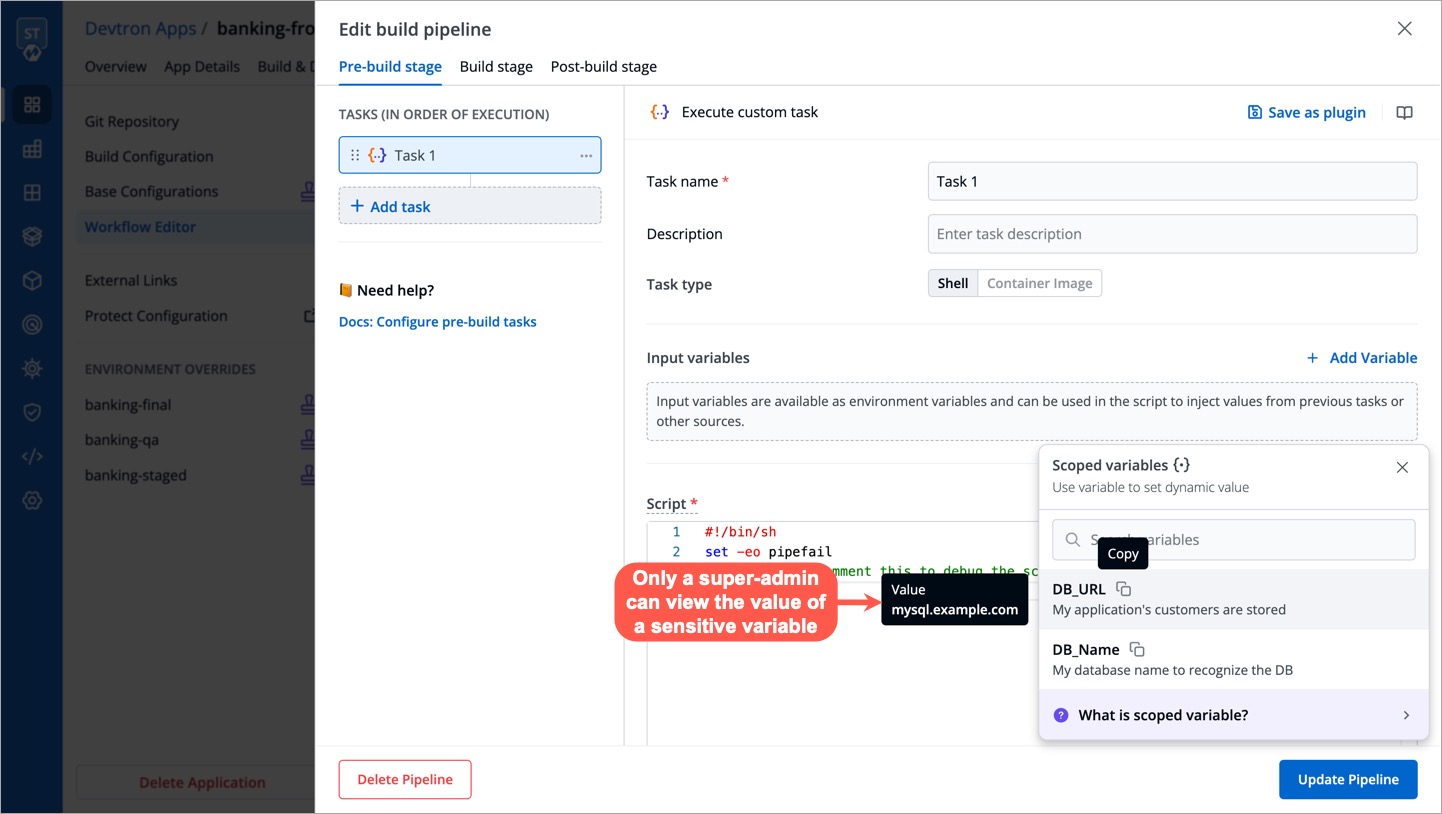
- Keeps data secure: You can decide the exposure of a variable's value to prevent misuse or leakage of sensitive data.
On Devtron, a super-admin can download a YAML template. It will contain a schema for defining the variables.
-
From the left sidebar, go to Global Configurations → Scoped Variables
-
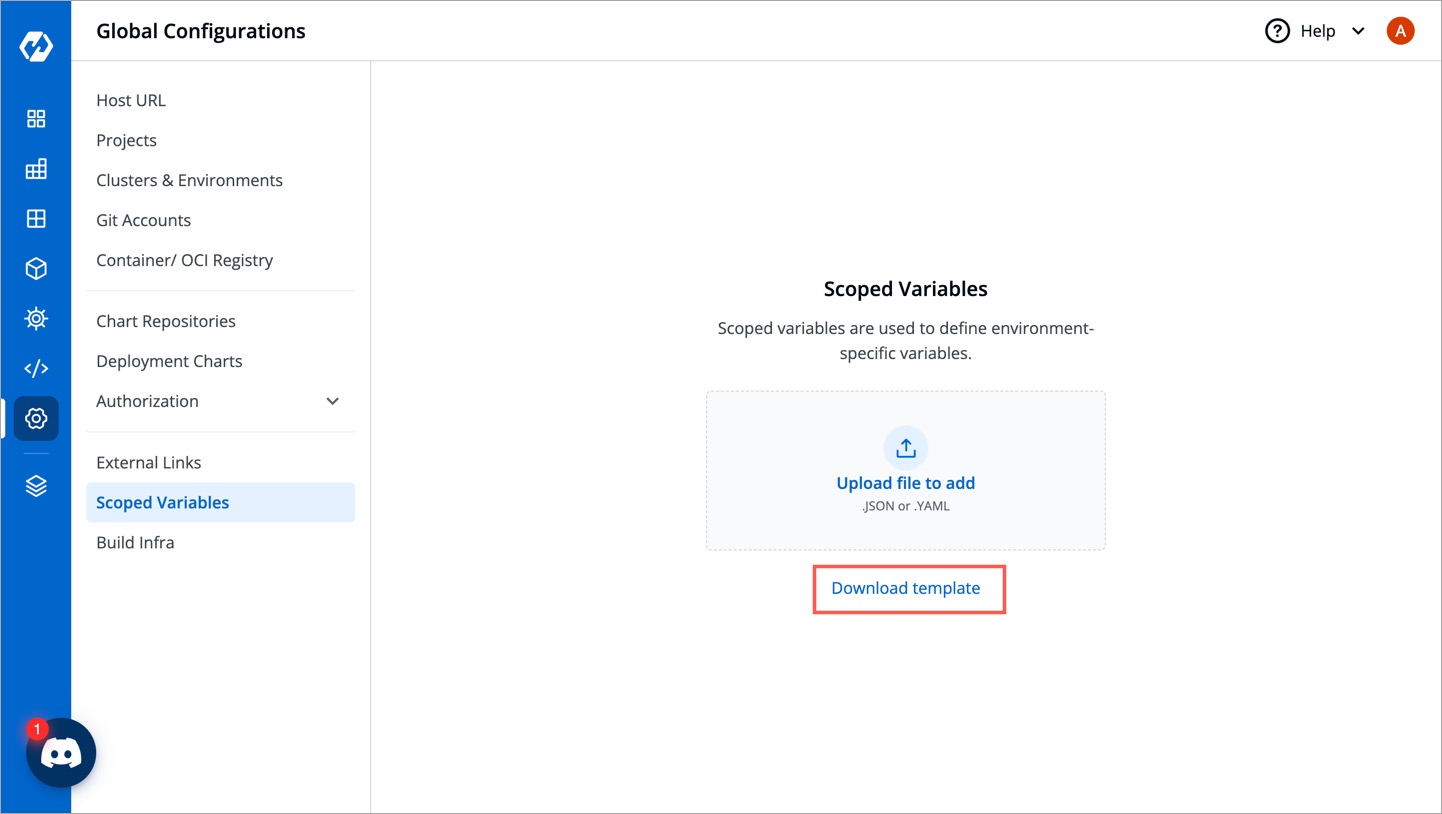
Click Download template.
-
Open the downloaded template using any code editor (say VS Code).
The YAML file contains key-value pairs that follow the below schema:
| Field | Type | Description |
|---|---|---|
apiVersion |
string | The API version of the resource (comes pre-filled) |
kind |
string | The kind of resource (i.e. Variable, comes pre-filled) |
spec |
object | The complete specification object containing all the variables |
spec.name |
string | Unique name of the variable, e.g. DB_URL |
spec.shortDescription |
string | A short description of the variable (up to 120 characters) |
spec.notes |
string | Additional details about the variable (will not be shown on UI) |
spec.isSensitive |
boolean | Whether the variable value is confidential (will not be shown on UI if true) |
spec.values |
array | The complete values object containing all the variable values as per context |
The spec.values array further contains the following elements:
| Field | Type | Description |
|---|---|---|
category |
string | The context, e.g., Global, Cluster, Application, Env, ApplicationEnv |
value |
string | The value of the variable |
selectors |
object | A set of selectors that restrict the scope of the variable |
selectors.attributeSelectors |
object | A map of attribute selectors to values |
selectors.attributeSelectors.<selector_key> |
string | The key of the attribute selector, e.g., ApplicationName, EnvName, ClusterName |
selectors.attributeSelectors.<selector_value> |
string | The value of the attribute selector |
Here's a truncated template containing the specification of two variables for your understanding:
apiVersion: devtron.ai/v1beta1
kind: Variable
spec:

# First example of a variable
  - name: DB_URL
    shortDescription: My application's customers are stored
    notes: The DB is a MySQL DB running version 7.0. The DB contains confidential
      information.
    isSensitive: true
    values:
      - category: Global
        value: mysql.example.com

# Second example of a variable
  - name: DB_Name
    shortDescription: My database name to recognize the DB
    notes: NA
    isSensitive: false
    values:
      - category: Global
        value: Devtron
      - category: ApplicationEnv
        value: app1-p
        selectors:
          attributeSelectors:
            ApplicationName: MyFirstApplication
EnvName: prod-
Once you save the YAML file, go back to the screen where you downloaded the template.
-
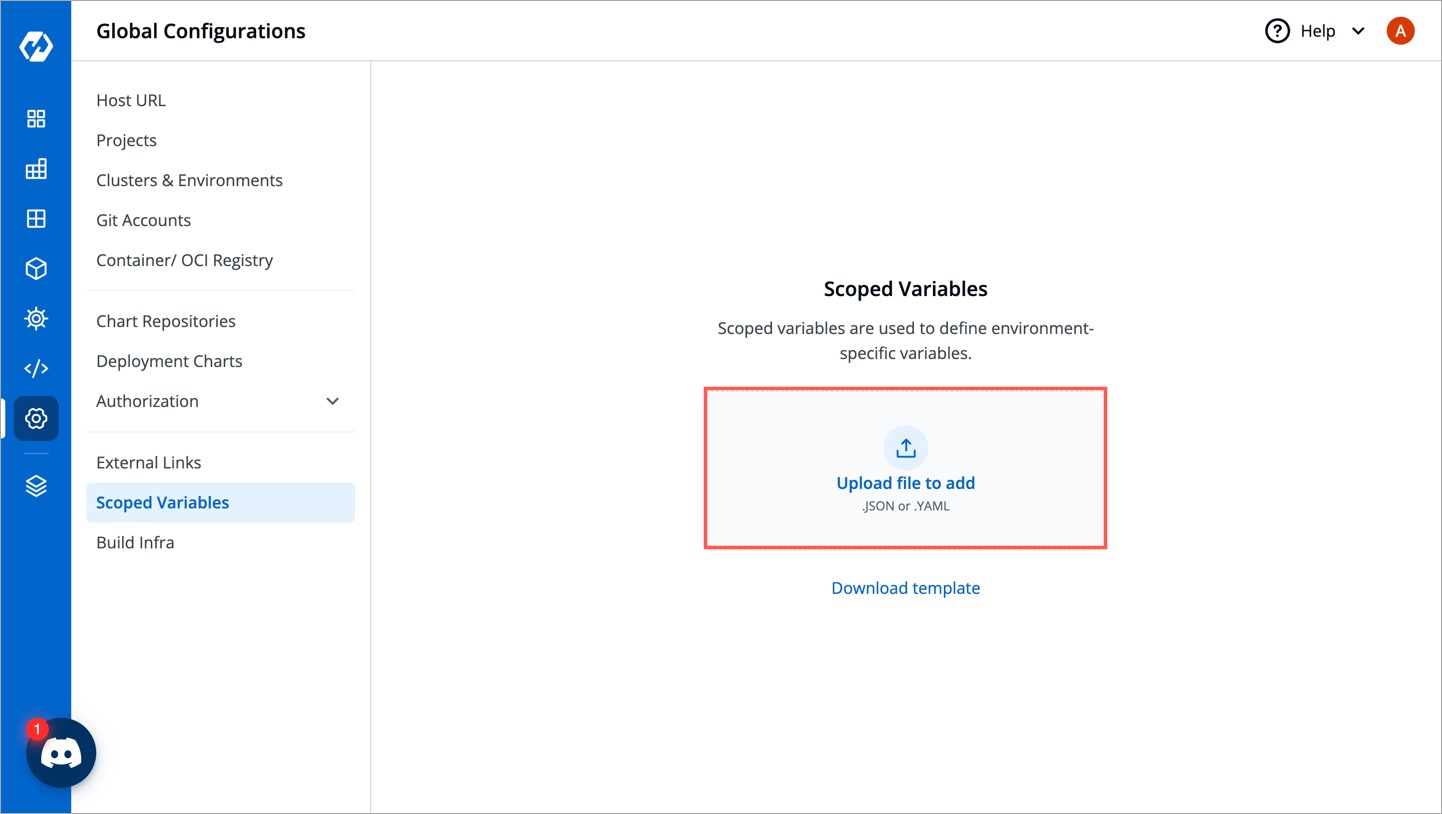
Use the file uploader utility to upload your YAML file.
-
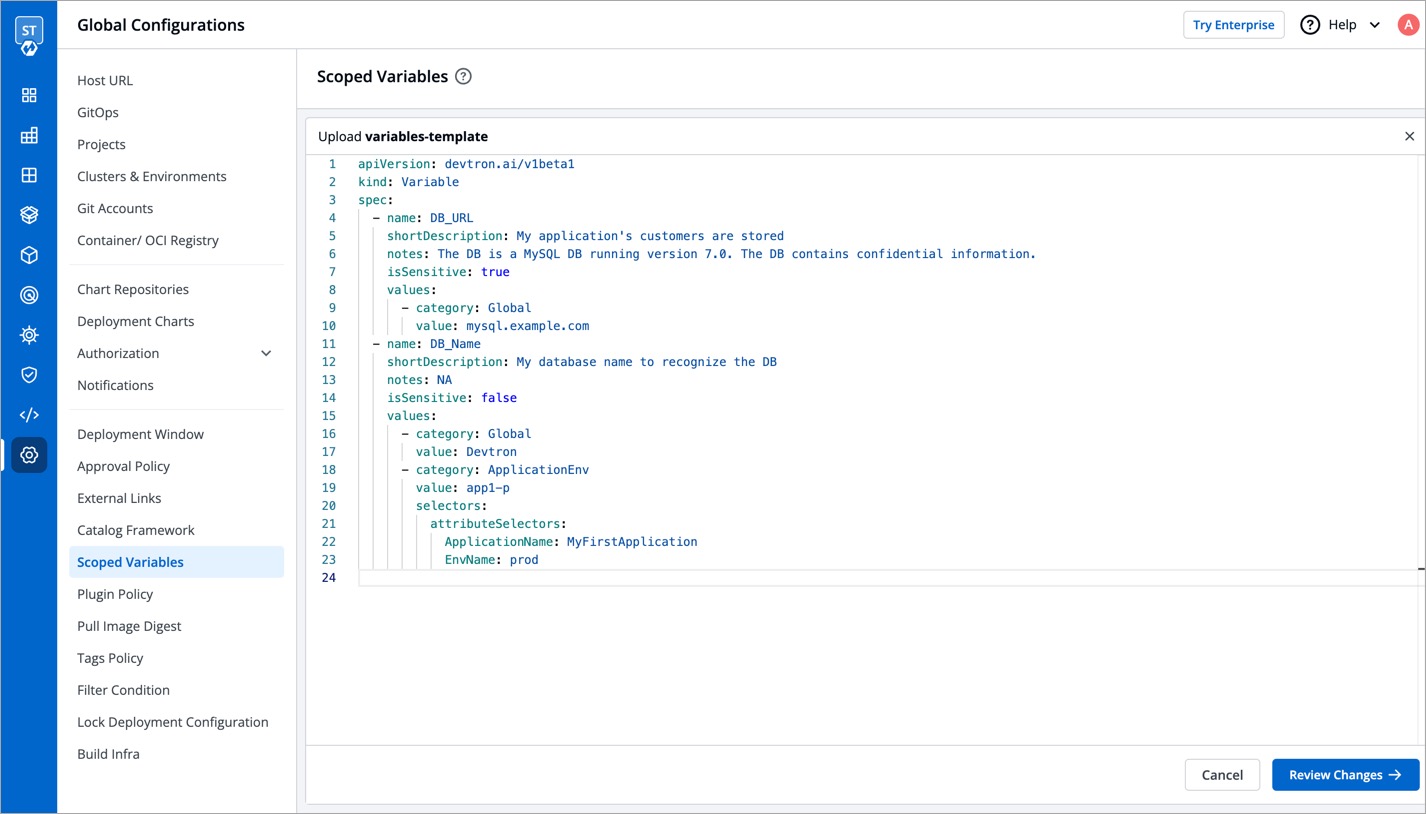
The content of the file will be uploaded for you to review and edit. Click Review Changes.
-
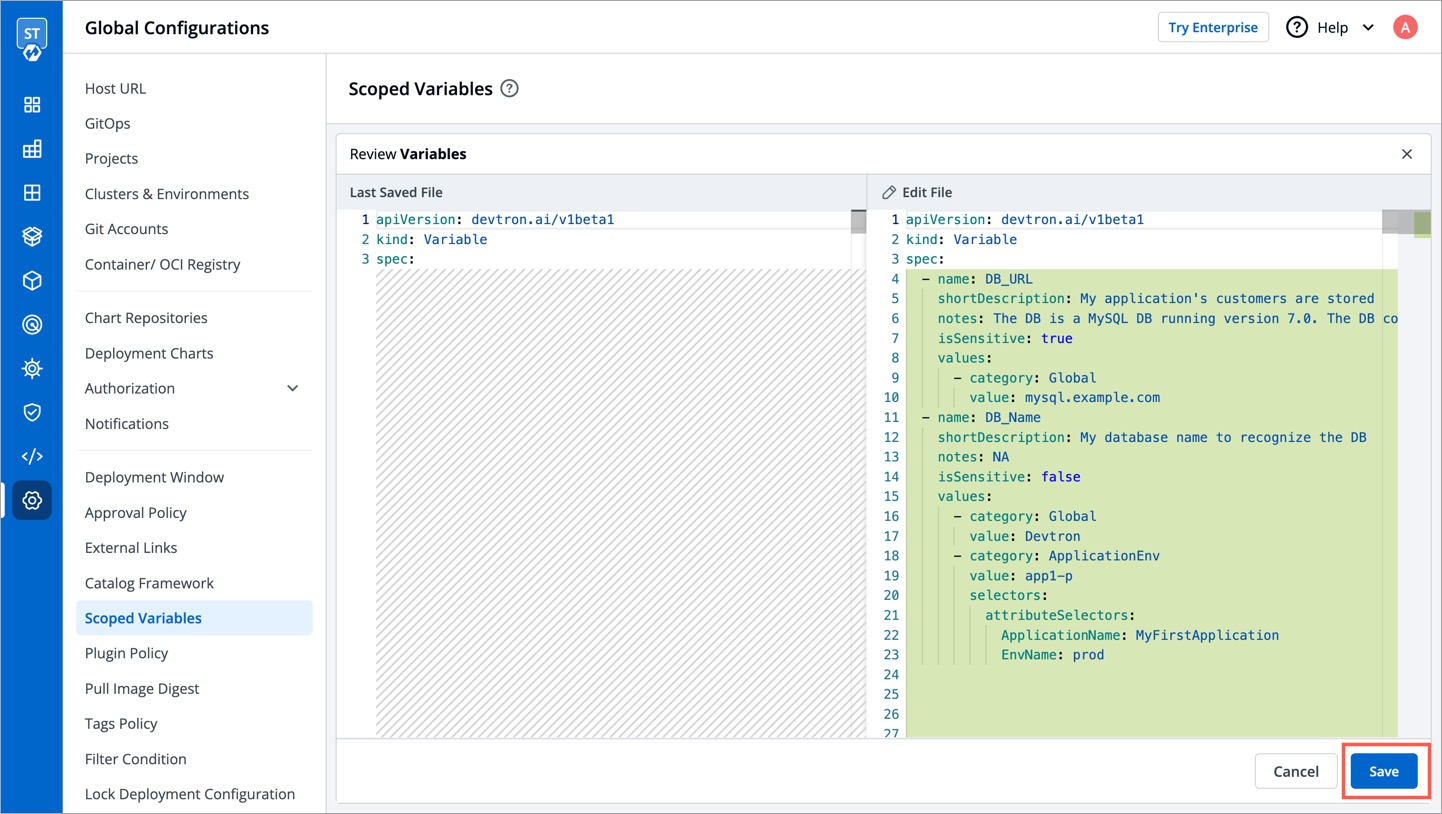
You may check the changes between the last saved file and the current one before clicking Save.
-
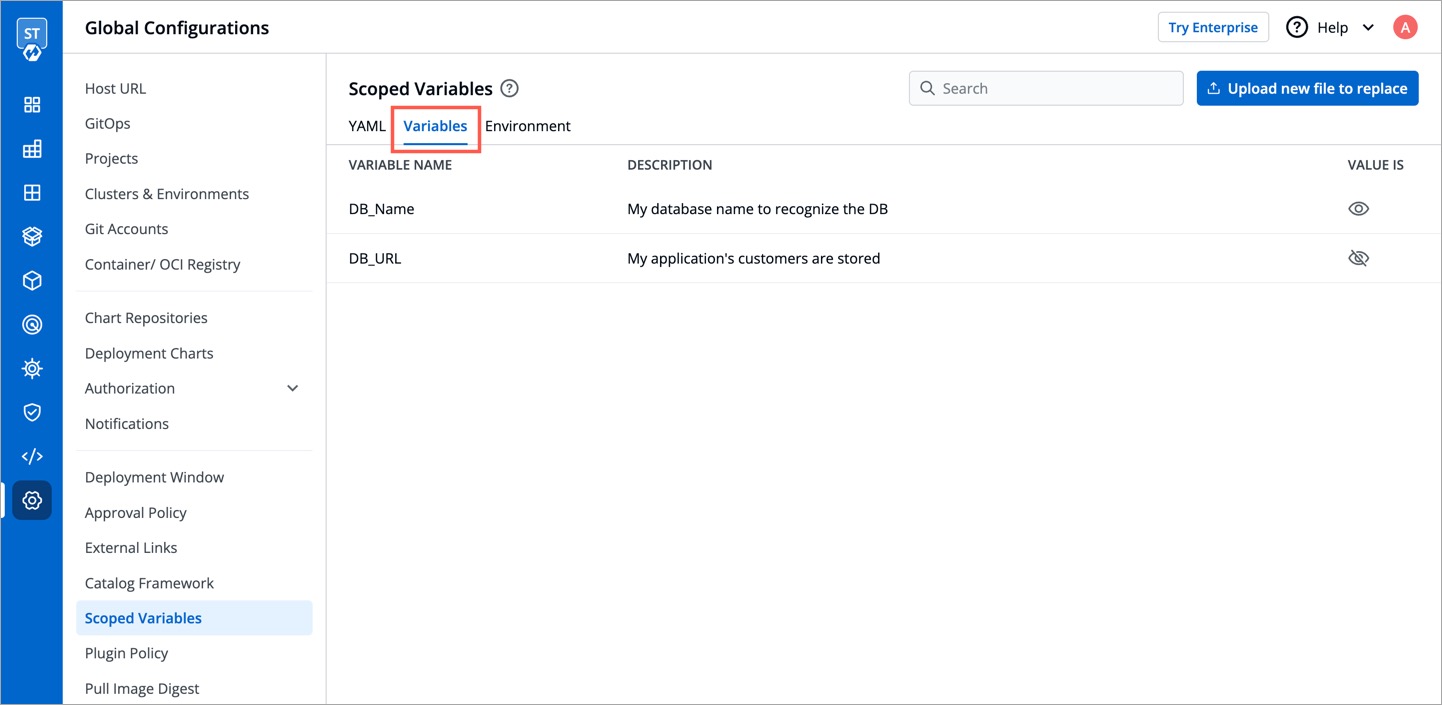
Click the Variable List tab to view the variables. Check the How to Use a Scoped Variable section to know more.
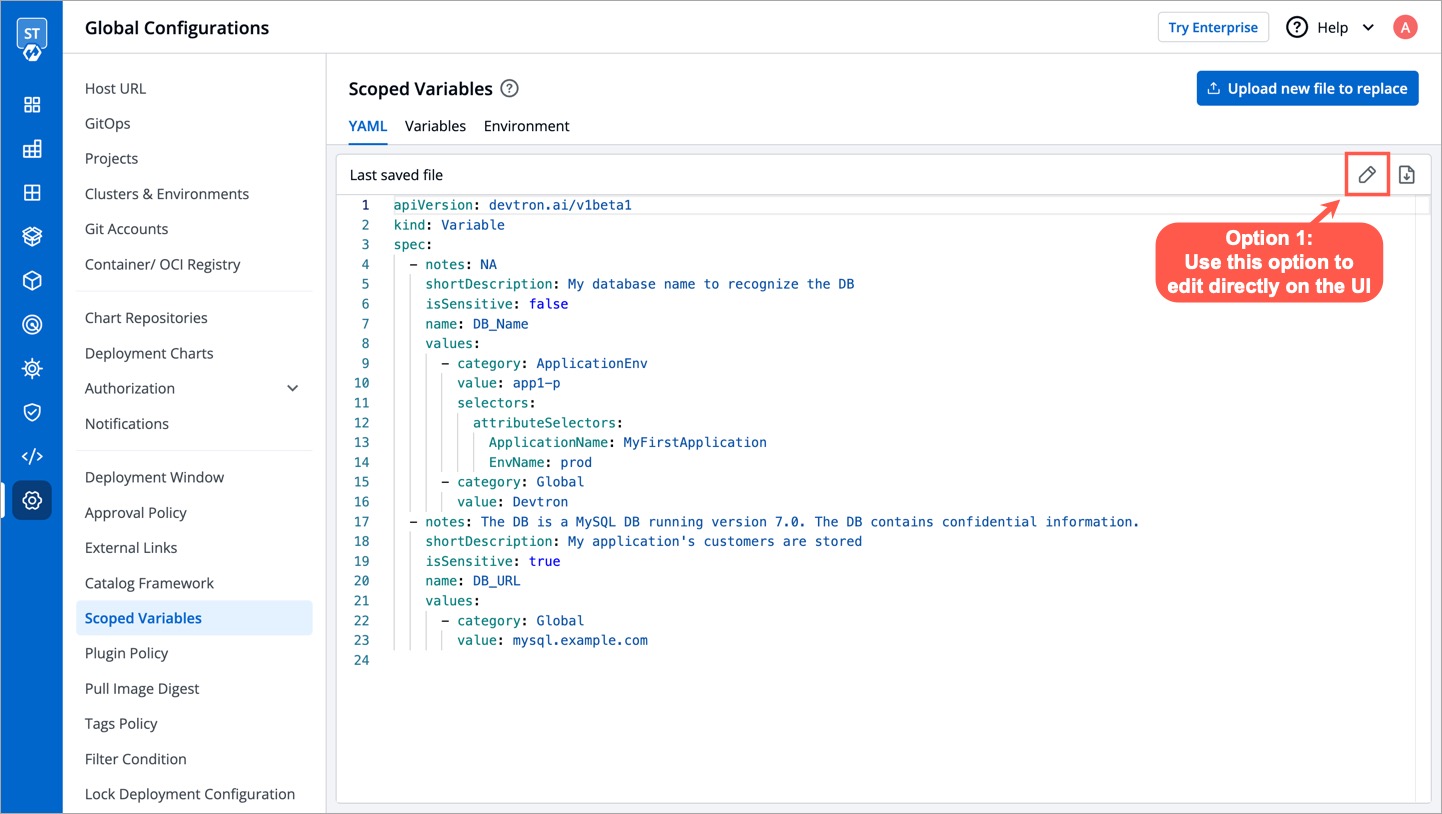
Only a super-admin can edit existing scoped variables.
Option 1: Directly edit using the UI
Option 2: Reupload the updated YAML file

{% hint style="warning" %} Reuploading the YAML file will replace the previous file, so any variable that existed in the previous file but not in the latest one will be lost {% endhint %}
Once a variable is defined, it can be used by your authorized users on Devtron. A scoped variable widget would appear only on the screens that support its usage.
Currently, the widget is shown only on the following screens in App Configuration:
- Workflow Editor → Edit build pipeline → Pre-build stage (tab)
- Workflow Editor → Edit build pipeline → Post-build stage (tab)
- Workflow Editor → Edit deployment pipeline → Post-Deployment stage (tab)
- Workflow Editor → Edit deployment pipeline → Post-Deployment stage (tab)
- Deployment Template
- ConfigMaps
- Secrets
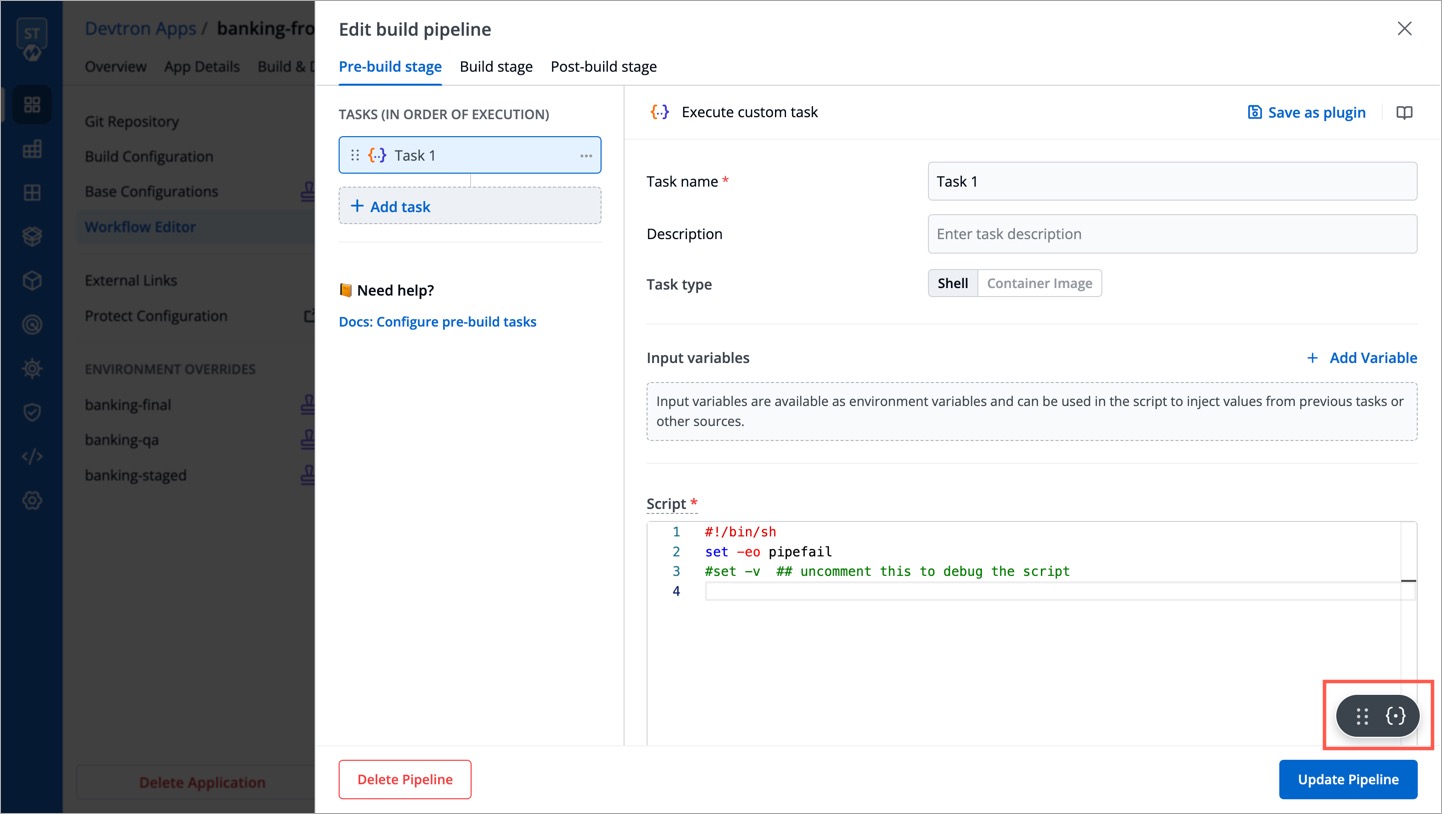
Upon clicking on the widget, a list of variables will be visible.
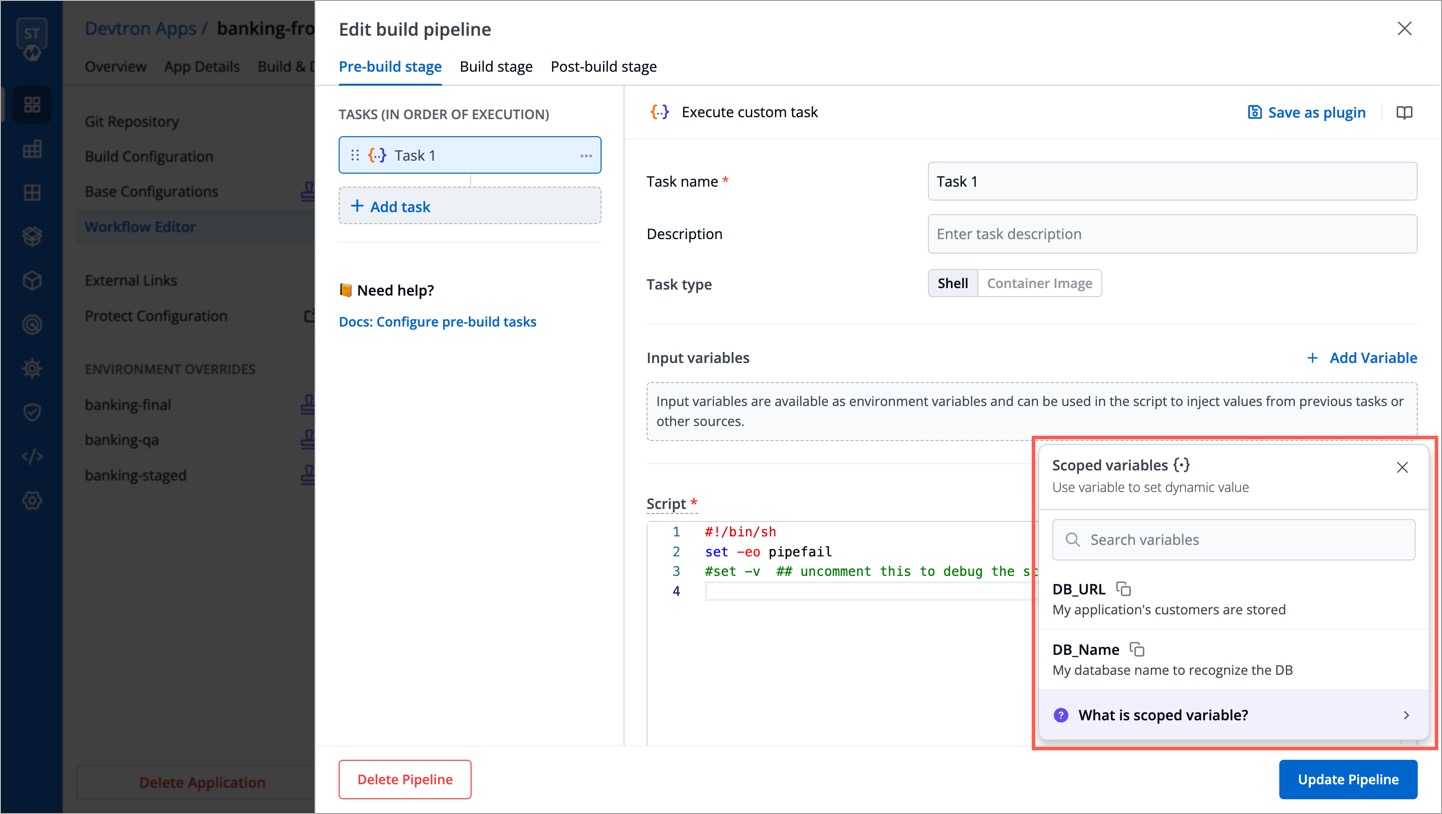
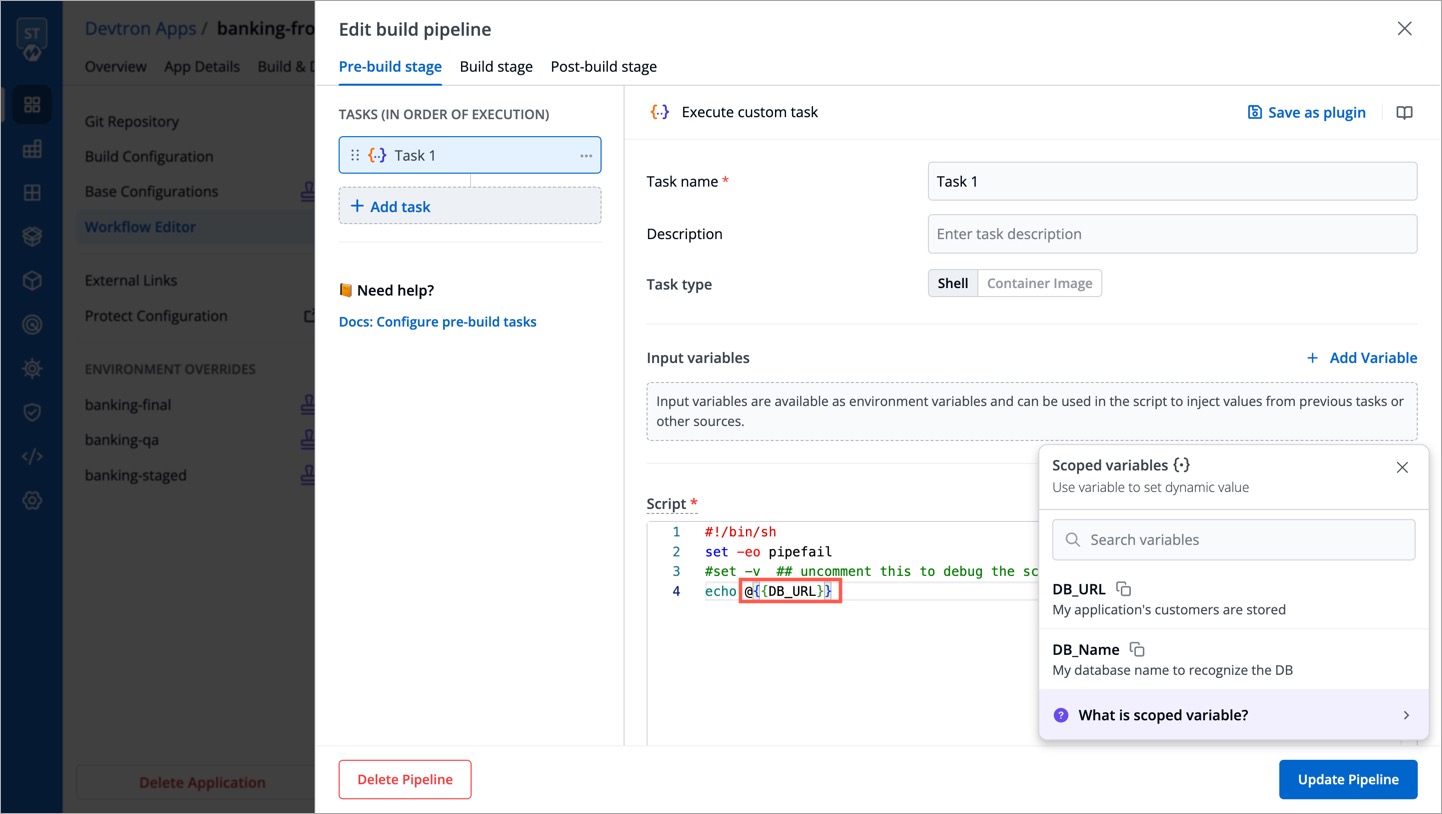
Use the copy button to copy a relevant variable of your choice.
It would appear in the following format upon pasting it within an input field: @{{variable-name}}
When multiple values are associated with a scoped variable, the precedence order is as follows, with the highest priority at the top:
- Environment + App
- App
- Environment
- Cluster
- Global
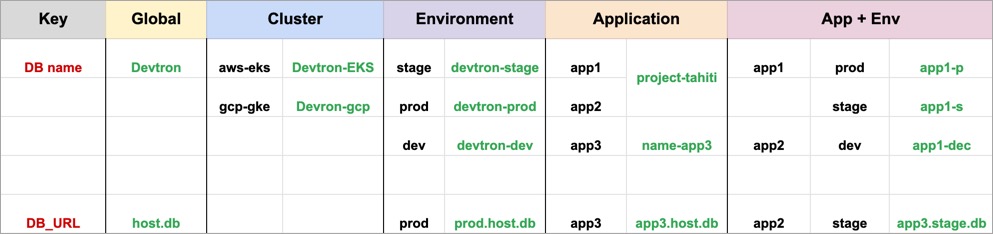
- Environment + App: This is the most specific scope, and it will take precedence over all other scopes. For example, the value of
DB namevariable for theapp1application in theprodenvironment would beapp1-p, even though there is a globalDB namevariable set toDevtron. If a variable value for this scope is not defined, the App scope will be checked. - App: This is the next most specific scope, and it will take precedence over the
Environment,Cluster, andGlobalscopes. For example, the value ofDB namevariable for theapp1application would beproject-tahiti, even though the value ofDB nameexists in lower scopes. If a variable value for this scope is not defined, the Environment scope will be checked. - Environment: This is the next most specific scope, and it will take precedence over the
ClusterandGlobalscopes. For example, the value ofDB namevariable in theprodenvironment would bedevtron-prod, even though the value ofDB nameexists in lower scopes. If a variable value for this scope is not defined, the Cluster scope will be checked. - Cluster: This is the next most specific scope, and it will take precedence over the
Globalscope. For example, the value ofDB namevariable in thegcp-gkecluster would beDevtron-gcp, even though there is a globalDB namevariable set toDevtron-gcp. If a variable value for this scope is not defined, the Global scope will be checked. - Global: This is the least specific scope, and it will only be used if no variable values are found in other higher scopes. The value of
DB namevariable would beDevtron.
There are some system variables that exist by default in Devtron that you can readily use if needed:
- DEVTRON_NAMESPACE: Provides name of the namespace
- DEVTRON_CLUSTER_NAME: Provides name of the cluster configured on Devtron
- DEVTRON_ENV_NAME: Provides name of the environment
- DEVTRON_IMAGE_TAG: Provides image tag associated with the container image
- DEVTRON_IMAGE: Provides full image path of the container image, e.g.,
gcr.io/k8s-minikube/kicbase:v0.0.39 - DEVTRON_APP_NAME: Provides name of the application on Devtron
{% hint style="info" %} Currently, these variables do not appear in the scoped variable widget, but you may use them. {% endhint %}